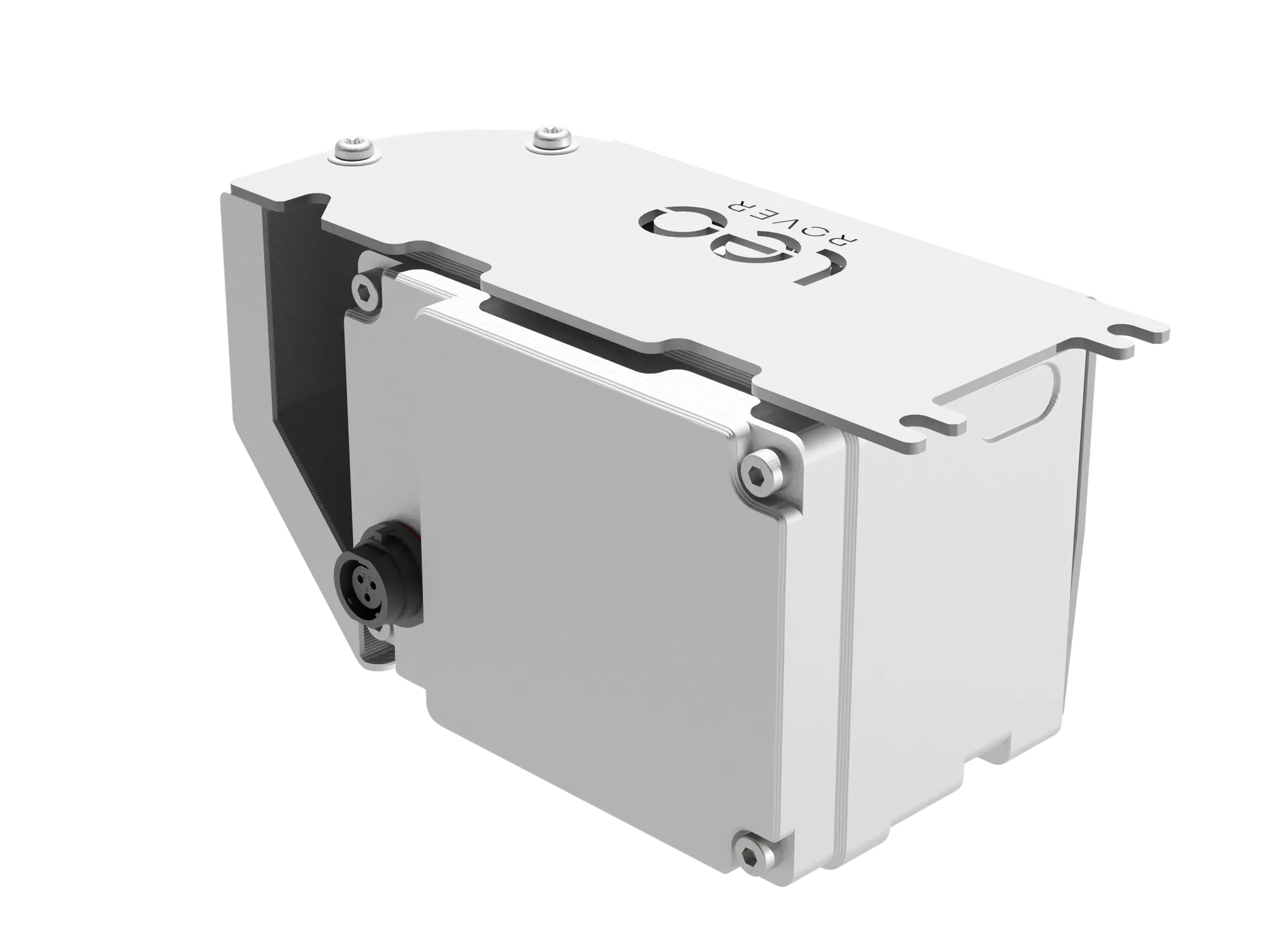
High Capacity Battery Specification
High capacity battery is an optional addon for the Leo Rover. It is a high-capacity Li-Ion 3S battery, estimated to last up to 10 hours of driving or 20 hours of video streaming. The battery is compatible with Leo Rover version 1.6 or newer.
Addon comes with a 5 A charger, which allows for a full charge in approximately 3 hours. With the standard charger (2 A), the charging time is about 8 hours.
Due to restrictions on battery transportation, standard shipping of this addon is not possible outside inland Europe.
If you wish to order one, please contact us at contact@fictionlab.pl to discuss shipping options.
Referenced products
What's included
- 1 x High capacity battery pack
- 1 x Fast 5 A charger
- 1 x Weipu to 5.5 mm barrel connector adapter cable
Main parameters
| Parameter | Value |
|---|---|
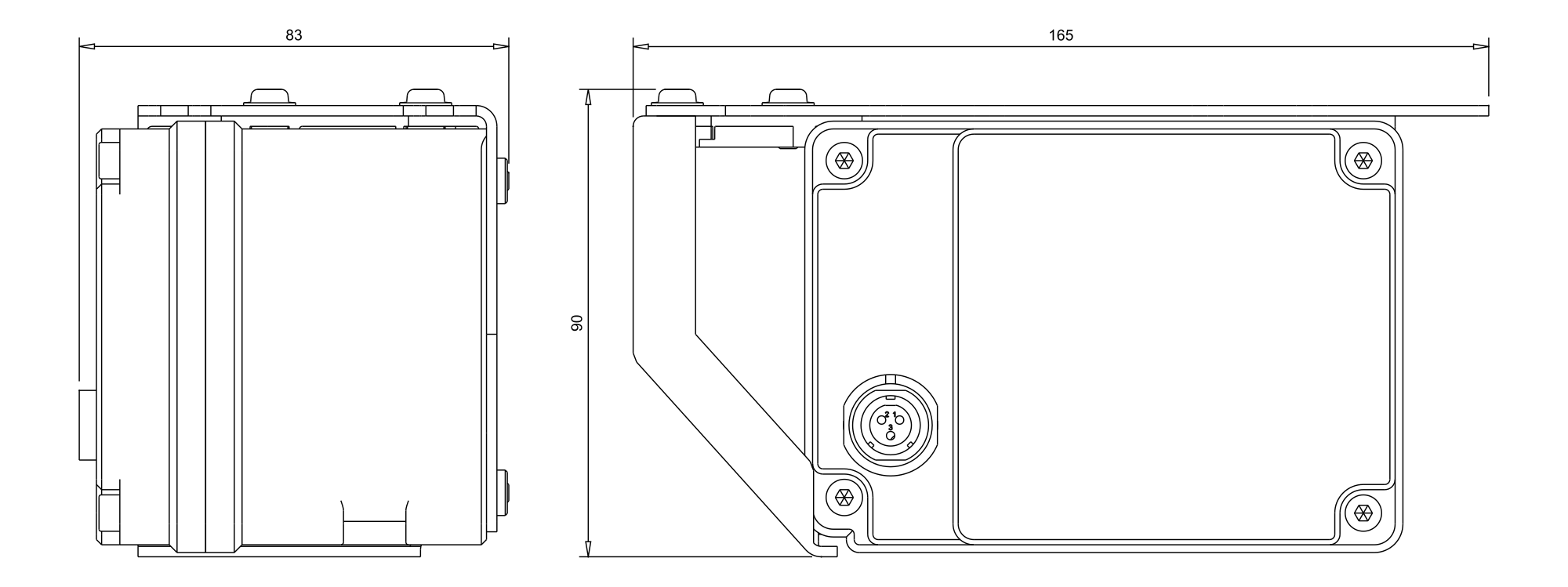
| Dimensions (LxWxH) | 165x83x90 mm |
| Weight | 1.2 kg |
| IP protection rating | IP 55 (when mounted in Leo Rover) |
| Compatibility | Leo Rover v1.6+ |
| Operating temperature | -10°C to 40°C |
| Battery pack type | 3S3P |
| Nominal voltage | 10.89 V |
| Charge capacity | 14.7 Ah |
| Energy capacity | 160.1 Wh |
| Maximum output power | 120 W |
| Battery cell | Samsung INR21700-50E |
| Safety systems | Overcurrent, Undervoltage, Reverse polarity |
Dimensions
CAD model
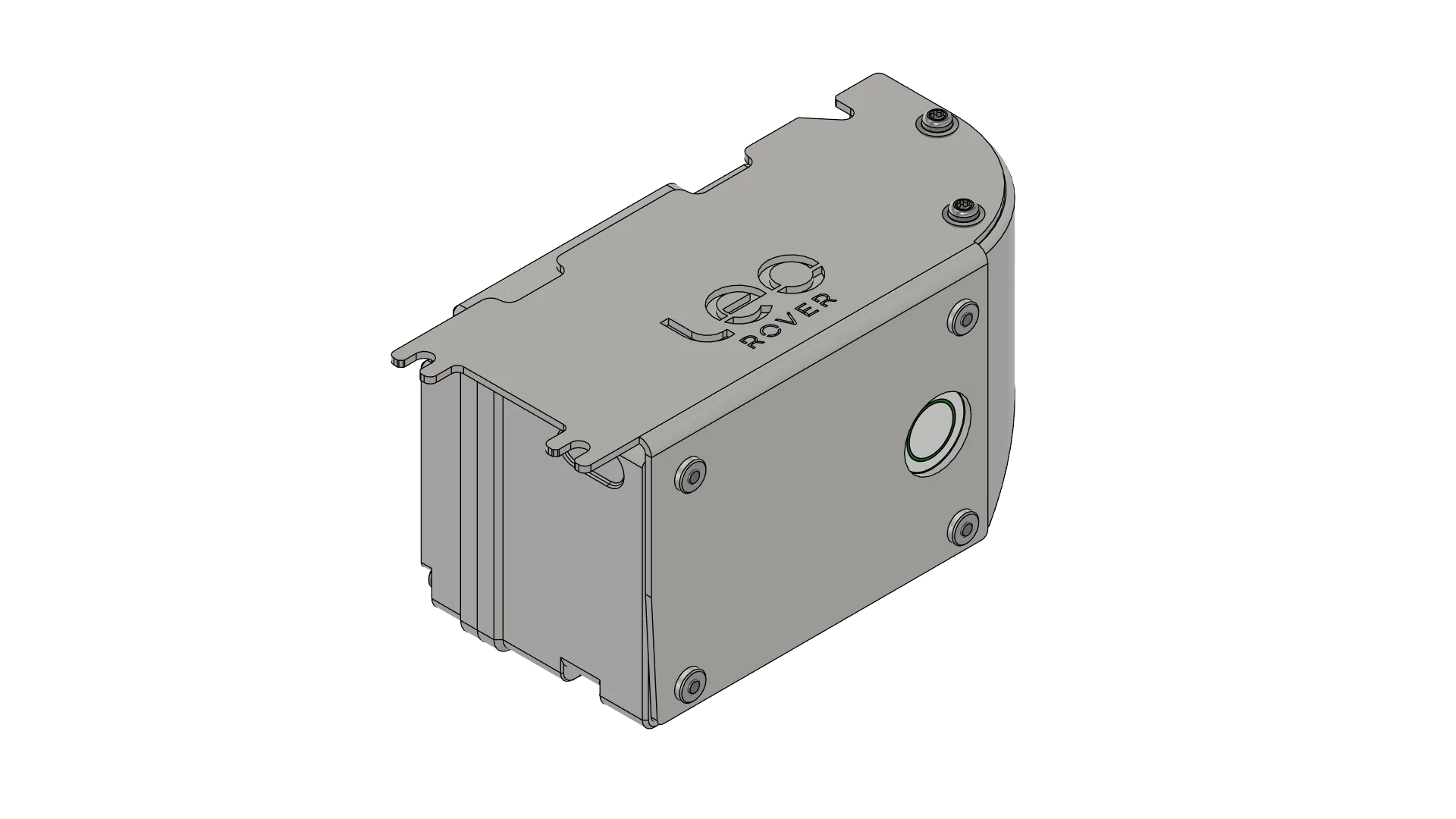
3D CAD model in neutral format is also available on our Google Drive:
User manual
Charging the battery
To charge the battery use only 12.6V chargers from Fictionlab. It is recommended to use the provided 5 A charger, which allows for a full charge in approximately 3 hours. You can also use the standard Leo Rover 2 A charger, but the charging time will be longer (approximately 8 hours).
Do not use any other chargers, as it may damage the battery or cause safety hazards.
Check the charger specifications before use. The charger must output 12.6 V with a current limit of 5 A or lower. Using a charger with incorrect output voltage or without proper current limiting may damage the battery or cause safety hazards.
- Connect the charger to the provided Weipu to 5.5 mm barrel connector adapter cable.
- Connect the Weipu connector to the battery pack.
- Plug the charger into a power outlet.
- Press the button on the battery. The LED indicator will light up red, indicating that the battery is charging.
- When the LED indicator turns green, the battery is fully charged. Unplug the charger from the power outlet and disconnect the Weipu connector from the battery pack.
Mounting the battery
The high capacity battery is designed to be mounted as direct replacement for the standard battery pack. It is compatible with Leo Rover version 1.6 or newer. The mounting process is the same as for the standard battery pack. Please refer to the Leo Rover assembly manual for detailed instructions on how to mount the battery.
Maintenance and safety
- Do not disassemble the battery pack. It contains high voltage components that can cause electric shock or fire.
- Do not expose unmounted battery pack to water or moisture. When disconnected from the robot, the battery pack is not waterproof and can be damaged by water and other liquids.
- Do not expose the battery pack to high temperatures or prolonged direct sunlight. The battery pack can be damaged by heat and may pose a fire hazard.
- Store the battery pack in a cool, dry place when not in use. Avoid leaving it near heat sources.
- Do not short-circuit the battery pack. Avoid contact between the positive and negative terminals of the battery pack, as it can cause a short circuit and damage the battery or cause safety hazards.
- Do not puncture or crush the battery pack. Avoid dropping or applying excessive force to the battery pack, as it can cause internal damage and pose safety hazards.
- Avoid deep discharge of the battery pack as it will reduce its lifespan. It is recommended to recharge the battery pack when the voltage drops below 10 V.
Troubleshooting & support
If you get stuck or run into any issues with our products, remember: you are not alone! Join our Discord community to access a private support channel directly with Fictionlab employees. Alternatively, you can simply contact us by email.